
Journal / Guide
How to review a chart pattern alert
A practical checklist for examining an automated pattern detection before deciding what it means to you.
Sample article prepared with AI assistance. Review before public release.
An alert can tell you that a chart condition appeared. It cannot tell you whether a trade fits your goals, risk tolerance, or timing. Use it as a prompt to inspect the evidence.
1. Check what the alert detected
Open the chart and identify the symbol, timeframe, pattern family, and event. A formation, a breakout, and a retest describe different observations. Compare the alert timestamp with the latest closed candle; update timing varies by market and data source.
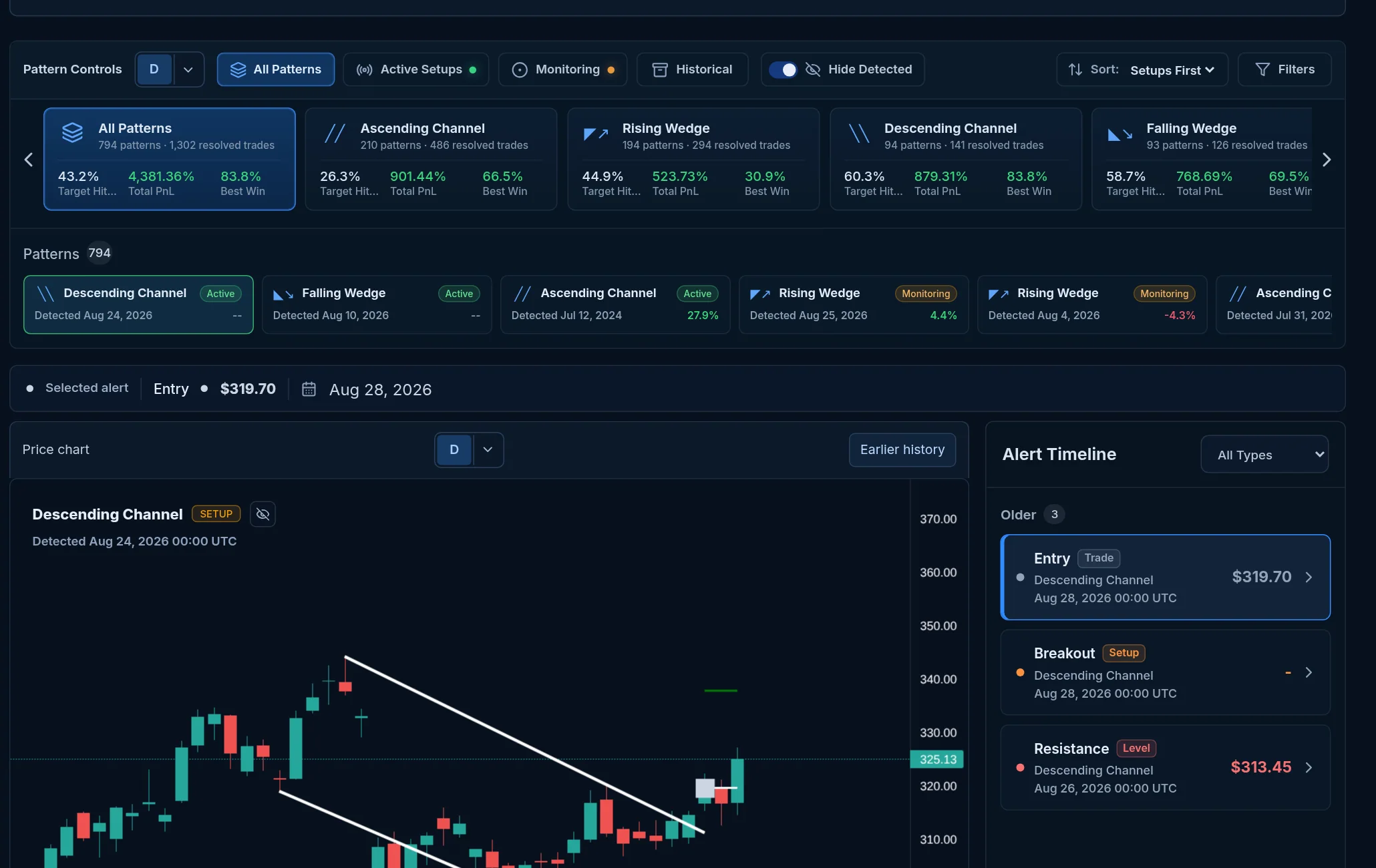
Recorded PatternAlerts interface example. The chart shows historical detections, not a current trade recommendation.
2. Inspect the structure
Look at the support and resistance lines on the chart. Ask whether price touched them often enough to make the structure meaningful to your own process. Check nearby levels and any move that may have happened after the recorded event.
| Check | Question to ask |
|---|---|
| Timeframe | Does this interval match the decision I am considering? |
| Pattern event | Is this a formation, breakout, retest, or invalidation? |
| Chart context | Are nearby levels or recent candles changing the picture? |
| Data timing | When did the latest eligible candle close? |
3. Add context
For stocks, review company information and recent headlines when available. An attractive chart can coincide with earnings, company news, or broader market moves. Keep the source and publication time in view.
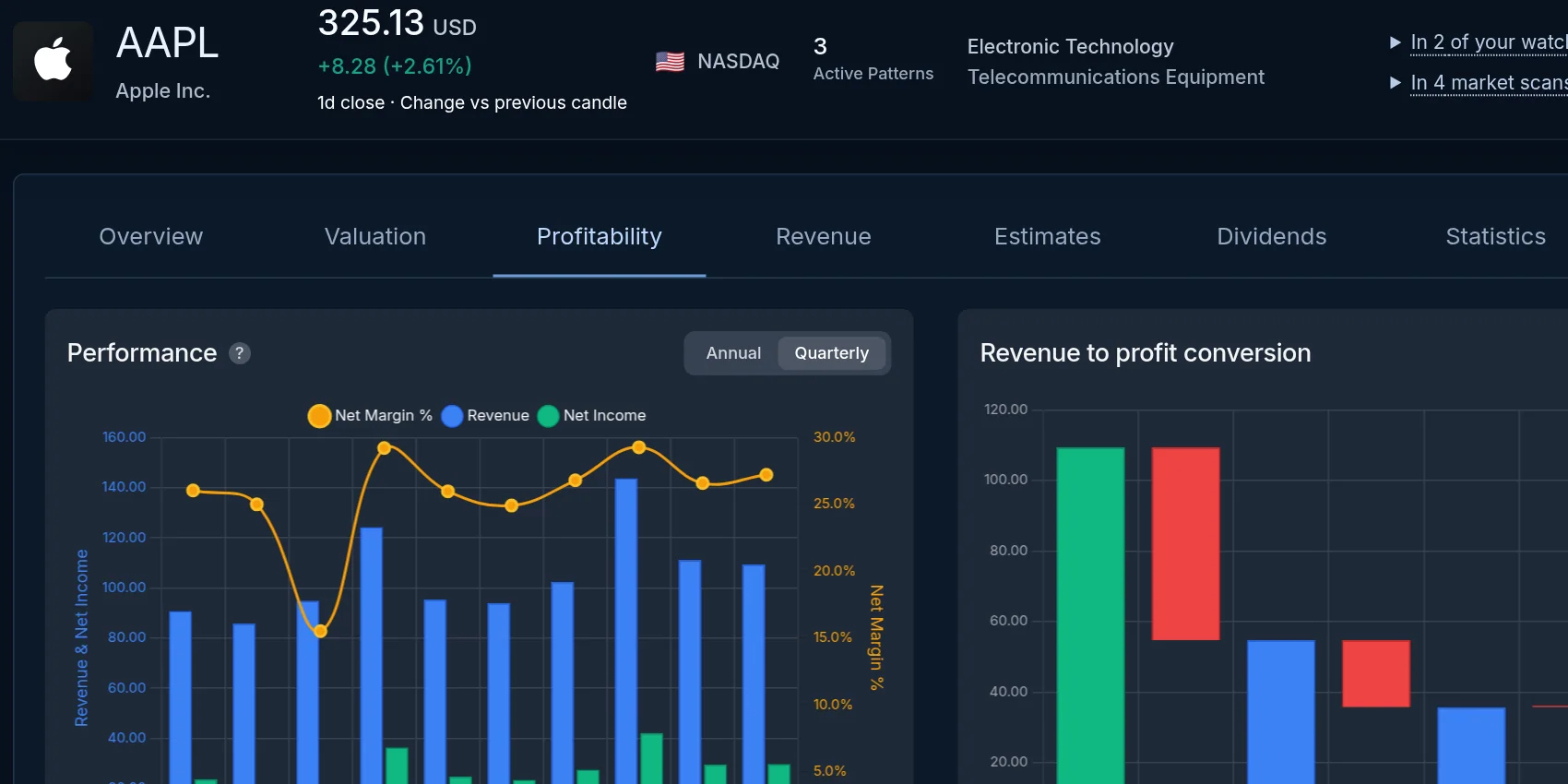
Stock research panel shown in the product. Available company data differs by instrument.
4. Decide what to monitor
If a symbol matters to you, save it to a watchlist and choose the pattern events you want to see. Explore PatternAlerts features for the available market scans, screening, and alert controls.
Pattern detections and historical outcomes are information for research. Patterns can fail, and past examples do not predict future results. See the FAQ for more on update timing and data coverage.